



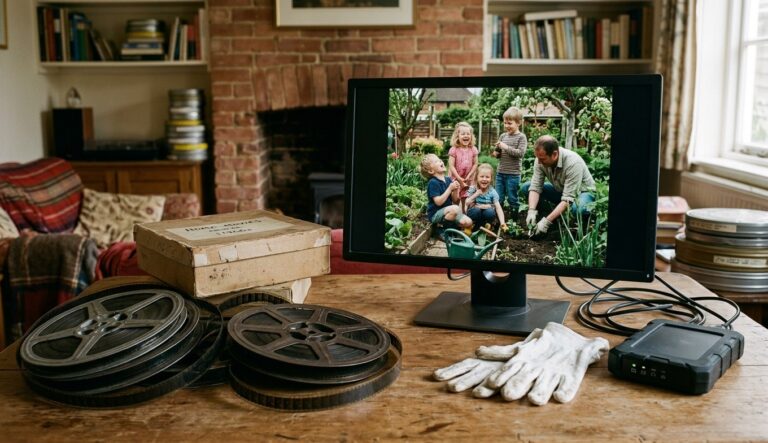
An old home movie carries more than the event in the frame. Its grain, contrast, camera movement and even its imperfect exposure help locate it in time. Restoration can make that footage easier to watch, but an aggressive process can also smooth away the qualities that make it feel authentic.
The best approach treats restoration as preservation first and improvement second. Protect the original, create a faithful digital master, decide what the family or archive wants to see, and make enhanced versions as separate interpretations. That way, a brighter or colourised copy never replaces the historical source.
Start With the Physical and Digital Source
If the footage is still on film or tape, inspect its condition before playback. Brittle film, mould, damaged perforations or sticky tape can be harmed by ordinary equipment. Valuable or fragile material belongs with a specialist transfer service. Clean, stable material can be digitised, but the goal should be one careful transfer at the best practical quality rather than repeated handling.
Once the footage is digital, make at least two copies before restoration. Keep one untouched master and work from a duplicate. Preserve the original frame rate and aspect ratio; stretching a nearly square image to fill a widescreen display changes the composition and makes people look unnaturally wide.
Record whatever context is known. Dates, locations, events and names can be stored in a simple text file beside the video. A technically improved clip with no explanation may be easier to watch but harder for the next generation to understand.
Decide What Counts as Damage
Dust, scratches, frame instability, flicker and severe fading may distract from the scene. Grain, modest softness and monochrome photography may be part of the source’s character. Restoration begins by deciding which is which.
Watch the whole recording before processing. One reel can contain indoor and outdoor scenes, abrupt exposure changes and sections recorded with different film stock. A setting that helps a dark room may overprocess a bright garden. Divide the material into scenes when necessary rather than forcing a single treatment across everything.
The same caution applies to sharpening. Fine lines around windows and clothing should become easier to read, not surrounded by bright halos. Faces should retain skin texture. If the picture begins to look like polished digital video rather than an older recording, the process has probably gone too far.
Upscale Only After the Image Is Stable
Resolution enlargement should come after obvious instability and damaging noise have been addressed. Upscaling a scratch or compression block can make it larger and more visible. A clean, stable source gives the model a better basis for reconstructing plausible detail.
For material selected for high-value restoration, UniFab’s Video Upscaler offers local and FabCloud processing routes. The product page describes local output up to 16K and cloud output up to 4K, with Equinox, Vellum, Kairo and Titanus among its named models. Local processing uses the computer’s GPU without cloud queues or credits, while FabCloud avoids the need for suitable RTX hardware and supports uploads up to 10GB.
The output target should reflect how the film will be shown. A family screening on a 4K television may benefit from a carefully reviewed 4K master. Exporting a small, heavily blurred transfer at 16K does not create genuine captured detail; it mainly increases file size. Choose the smallest output that meets the real viewing need.
Treat Colour as an Interpretation
Colourising black-and-white film is not the same as repairing damage. It adds information that the camera did not record. The result may help younger viewers connect with a scene, but it should be labelled as a colour interpretation and kept beside the monochrome master rather than replacing it.
Period plausibility still requires judgement. A model cannot know the exact colour of a lost dress, car or shopfront without a reference. Family photographs, postcards, uniforms, product catalogues and local archives can help, but uncertainty should remain visible in the way the version is described. “Colourised interpretation” is more honest than “restored original colour.”
Use References Without Inventing Certainty
Reference images are most useful when they come from the same event, person, place or object. A colour photograph taken on the day can guide clothing and surroundings. A later photograph may mislead because paint, signs and furnishings change.
The UniFab AI Video Colorizer can automate object, face, skin-tone and lighting analysis across moving footage. UniFab’s page says its temporal processing is designed to keep colours stable between frames and reduce flicker. It also describes scene detection, correction for faded colour footage, and four style options: vivid cinematic, muted documentary, warm nostalgic and customisable.
When no reliable reference exists, restrained colour is safer than dramatic saturation. Skin tones should vary naturally. Shadows should not become brightly coloured patches. Colour should remain stable as objects move between light and shade. Watch scene transitions carefully because one setting may not suit the next shot.
Keep notes on the chosen style and references. The record does not need to be academic; it simply needs to tell future viewers that colour was added, which sources guided the decision and where uncertainty remains.
Create an Archive With More Than One Version
A complete family archive can contain several useful files:
the untouched digital transfer;
a cleaned monochrome master;
an upscaled viewing master;
an optional colourised interpretation;
smaller copies for sharing;
a text record with dates, people, places and processing notes.
Home movie preservation workflow from reel to master and viewing versions
This structure avoids forcing one version to serve every purpose. The untouched transfer protects evidence of the source. The cleaned master supports future restoration. The viewing copy makes family screenings convenient. The colourised version offers another way to engage with the material without rewriting the archive.
Use open, familiar containers where possible and keep more than one backup on different devices. A restored film is still vulnerable to drive failure, accidental deletion and forgotten passwords. Preservation is an ongoing practice rather than a one-time export.
Ask the Family Before Making Irreversible Choices
Home movies often belong to more than the person holding the reel. Relatives may disagree about colourisation, music, cropping or whether private moments should be shared online. A short conversation before publication can prevent a technically impressive result from becoming an unwanted one.
Invite people who recognise the footage to add context. They may identify a location, correct a date or explain why a seemingly ordinary scene matters. Their knowledge can be more valuable than another round of sharpening.
Final Thoughts
Good restoration makes old home movies more accessible while leaving a clear path back to the source. Digitise carefully, protect an untouched master, stabilise and clean before upscaling, and describe colourisation as an interpretation. The aim is not to make the past look newly filmed. It is to help people see what the camera captured without losing the texture, limits and context that make the recording part of history.
