



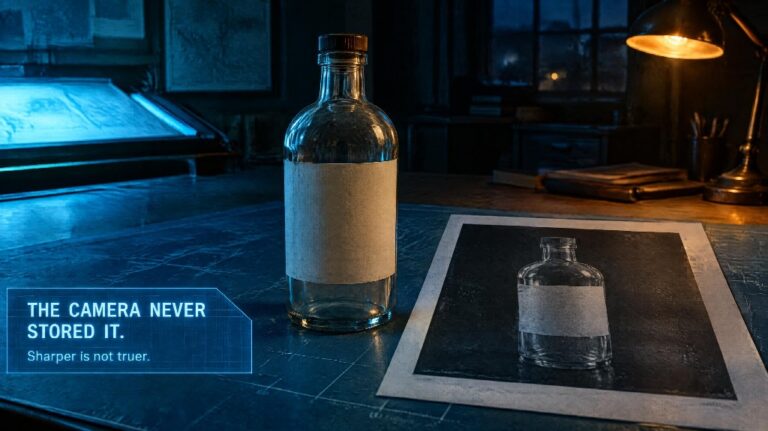
Feeds now ask for a clean picture and a short clip from the same afternoon. The usual advice is to run the photo through an enhancer, then hand it to a video app that turns stills and sentences into motion. The order is sensible. The promise attached to it is not. A sharper file can invent a label you could not read. A generator can move that invention and make it look decided.
Creators, advertisers, and designers do lose hours to blur, noise, and a mark in the corner. That loss is real. It is not solved by a tool that rebuilds detail the camera never stored, or by a generator described as free because the first preview did not ask for a card.
What an “improvement” is allowed to change
Marketed enhancers analyse a frame, lift contrast, and guess at edges that were soft. On a sky, a wall, or a fabric nobody will quote, the guess can be harmless. On a product it can be the whole claim. A smudged price becomes a different price. A soft logo grows an extra letter. Old prints can be cleaned where the paper still holds ink. They cannot be interviewed. If the scan never contained the face, no slider puts the person back.
The pass that stays checkable is smaller. AI inpaint changes only the area you select: remove, replace, or add inside the mask, and leave the rest of the photograph as it was taken. Bring a JPG, PNG, or WEBP. The file that comes back is JPG or PNG. Draw the mask tight around the cable, the coffee ring, the poster that belongs to last month. Two reference pictures are the limit, and only when you already hold the replacement — a corrected board, a clean pack — rather than a wish for a world that was sharper. Free use may place a watermark. Paid exports can return without one. You still need the right to edit the source.
This is not a resolution upgrade. It will not turn a blurred shop window into a new photograph of stock you never saw. A tear in a print can be filled from the paper beside it. A missing biography cannot. If the region is a stranger’s face, or a mouth you want to reshape, stop. Likeness is not housekeeping.
Open the repaired frame at the size you will publish. If the edge glows, or the wall colour no longer matches the room, the pass went too far. That is the failure enhancers are already known for: processing that looks less like the place you stood.
Motion is a second job, and one name is still an announcement
When the still is true, movement is a different purchase. The pitch that any image or sentence becomes a finished reel, a lesson, or a product film in minutes skips the comparison you just made. A wrong still with time on it is a longer mistake.
The release people are starting to schedule is Kling 4.0, the next Kling model from Kuaishou, announced on 28 September 2026. Kling describes a native clip of about 3 to 30 seconds, up to 10 keyframes, and up to 15 references in one task: as many as 10 images, 5 video clips totalling 30 seconds, and 7 subjects. The note also covers stereo sound, tighter lip sync, extending an existing shot, a 21:9 frame among the ratios, and picture quality discussed up to 4K with 10-bit HDR. Kling’s own list still marks HDR on 1080p and 4K, and the longer extension, as not in the present build. The full model is described as arriving in October 2026. A Flash edition is already open to Kling Ultra Yearly subscribers on Kling’s own plan. On Topview the generate controls for this page stay off until that generation exists here. The figures follow Kling’s announcement and can shift before launch.
That page cannot play the part of a free video app in this week’s stack. Keyframes and a heavy set of references are a way to pin beats after a control accepts a prompt. They do not correct a still you skipped. They do not drop a 4K HDR file into a folder while the button is disabled. Lip sync, once it can be run, still needs a face you are allowed to show. Hosted video tools commonly need a connection and a paid tier for the full set of controls. Kling 4.0 on this workspace is stricter than a paywall. There is no run to start.
The afternoon this pairing actually shortens
Repair the file you have, then decide whether anything should move. A cable across a flat lay. A window poster from the previous promotion. A ring on a scanned diagram. Mask that, set the result beside the original, and keep the version a person would publish. The unrepaired original stays in the folder if the mask made the scene stranger than the flaw.
The same check covers the places these tools get sold as a pair. A profile picture that is merely cleaner does not enlarge an audience. A product frame with a readable label is still that product. It does not authorise a sentence about sales. A diagram a student can see is a clearer diagram, not a lesson drafted in minutes. Voice and music, on a model that is actually switched on, are references you choose. They are not a reason to skip the photograph.
For a clip you need before that October window, use a generator whose controls respond, with a duration you can write down and an export you can open. When you want to try Kling 4.0, open the page and see whether the button is live. Until it is, the announcement — 4K and HDR included — remains a description. Begin with the inpaint on the region you can point to. Leave Kling 4.0 until Topview lets you generate, and only then ask it to move a still you have already compared with the original.
