



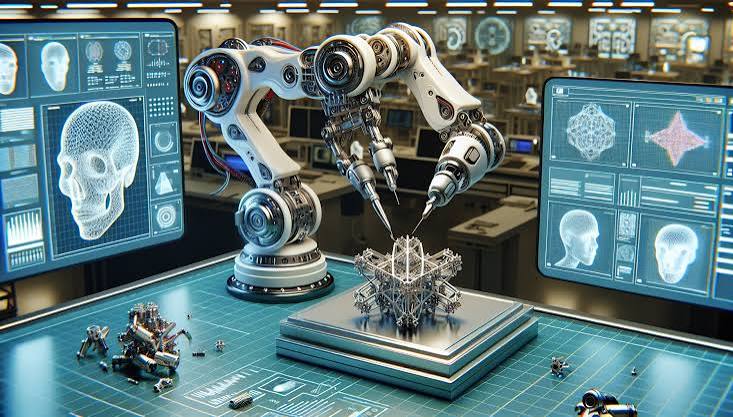
- How Hi3D Transforms AI-Generated Models Into High-Quality 3D Prints
Creating a 3D model is only the beginning of the creative journey.
A successful 3D print requires much more than an impressive digital design. Behind every high-quality physical object is a series of complex preparation steps — analyzing the model structure, optimizing parts, designing connections, managing colors, and preparing the final print workflow.
For creators, these steps often involve complicated software, manual adjustments, and time-consuming trial and error.
Hi3D 3.0 simplifies this entire process through an intelligent AI-to-print workflow.
Instead of spending hours manually repairing and preparing models, creators can transform AI-generated assets into structured, optimized, and print-ready creations with automated assistance.
Let’s explore how Hi3D 3.0 works behind the scenes.
Intelligent Model Analysis Understanding Every Model Before Printing
Every 3D model has unique requirements.
A detailed collectible figure needs to preserve artistic details and delicate shapes.
A functional prototype requires structural stability and accurate dimensions.
A large creative project needs efficient preparation and assembly planning.
Before optimizing a model, Hi3D 3.0 analyzes its structure, complexity, and design characteristics to determine the most suitable processing approach.
Creators can choose between two dedicated workflows based on their project type.
1.1 Character Mode: Preserving Details for Creative Models
Character Mode is designed for creators working with detailed character-based 3D models, helping prepare models for printing while maintaining their original visual quality.
For character figures, artistic models, and collectible designs, Hi3D 3.0 focuses on creating more suitable separation results by considering the overall structure and appearance of the model.
By preserving important design details and minimizing the visual impact of split areas, Character Mode helps creators bring detailed digital creations into the physical world with better consistency after printing and assembly.
1.2 General Mode: Optimizing Practical and Structural Models
General Mode is designed for a wider range of 3D models that require practical printing preparation and flexible workflows.
For models with larger structures or more functional designs, Hi3D 3.0 helps creators prepare models for printing by generating suitable separation results while maintaining the overall structure and design intent.
By supporting different types of creative projects, General Mode provides a more efficient way to transform digital models into printable physical creations.
- Split-to-Print Technology
2.1 Turning Complex Models Into Printable Components
Many creative designs are too large or complex to be printed as a single piece.
Traditional workflows require creators to manually edit models, define cutting areas, repair surfaces, and adjust every separated section.
Hi3D 3.0 makes this process easier with intelligent Split-to-Print technology.
The system automatically analyzes the model and creates optimized printable components while maintaining the original design quality.
2.2 Smarter Segmentation for Better Printing Results
Splitting a complex model is not only about dividing it into smaller pieces. The separation process also needs to consider how the model will be printed, assembled, and presented after completion.
Hi3D 3.0 helps creators prepare models for printing by creating more suitable separated parts, reducing the need for complicated manual adjustments.
2.2.1 Structural Considerations
When dividing a model, Hi3D 3.0 considers the overall structure of the design to create separated parts that are easier to handle during the printing process.
This helps creators work with larger or more complex models while keeping the original design intention.
2.2.2 Preserving Visual Quality
The placement of separation areas can affect the final appearance of a printed model.
Hi3D 3.0 helps create more natural split areas, reducing the visual impact of seams and helping maintain the quality of the original design.
2.2.3 Easier Assembly Workflow
Separated parts need to come together smoothly after printing.
Hi3D 3.0 supports a more organized splitting process, making it easier for creators to manage multiple components and complete the final assembly.
2.2.4 Adapting to Different Printing Needs
Large models often require separation due to printer size limitations.
By preparing models in suitable sections, Hi3D 3.0 helps creators bring larger designs into the printing workflow more easily.
- Automatic Connector Generation
3.1 Creating Parts That Fit Together Seamlessly
Splitting a model is only one part of the printing process.
Once a model is divided into multiple pieces, those parts need reliable connections to ensure accurate assembly.
Without proper connectors, creators must manually design joints, estimate tolerances, and repeatedly test the final fit.
Hi3D 3.0 automatically generates connection structures during the preparation process, making assembly more convenient and reliable.
3.2 Built-In Connection Options
After a model is separated into multiple parts, proper connections are important for completing the final printed object.
Hi3D 3.0 helps creators add suitable connection structures between separated parts, reducing the need to manually design joints and making the assembly process more convenient.
3.3 Ball Joints
Ball joints provide a flexible connection method for models that require adjustable movement between parts.
They can help creators build more dynamic designs where different components need to be positioned or adjusted after printing.
3.4 Mortise & Tenon Joints
Mortise and tenon style connections provide a more structured way to align separate components.
They are suitable for models that require clearer positioning between parts and a more organized assembly workflow.
3.5 Creating Complete Printed Models
With built-in connection options, Hi3D 3.0 helps bridge the gap between separated model parts and the final assembled creation, making the transition from digital design to physical printing smoother.
- Color-to-Print Optimization: Bringing Digital Colors Into the Physical World
4.1 Bridging the Gap Between Digital Design and Physical Printing
Digital models can contain complex colors and visual details, but translating those details into physical prints requires additional preparation.
Hi3D 3.0 helps creators prepare multi-color models for printing by making digital color information more suitable for real-world 3D printing workflows.
4.2 Smarter Color Processing for Multi-Color Printing
Hi3D 3.0 simplifies the transition from digital designs to multi-color printed models by processing color information and helping maintain a more consistent visual result.
This allows creators to work with complex designs while making the preparation process more efficient.
4.3 Color Optimization
Different printing materials and workflows may affect how colors appear in the final model.
Hi3D 3.0 helps adapt digital color details into a more practical format for multi-color printing, supporting a smoother process from model creation to physical output.
4.4 Filament Preview
Before starting a print, creators can preview the expected color appearance of their models.
This helps them better understand the final result and make adjustments during the preparation stage, improving confidence in multi-color printing projects.
- Smart Build Plate Layout: Optimizing Every Print Before Production
5.1 Preparing Models for More Efficient Printing
Before printing, the way a model is arranged on the build plate can affect the overall printing workflow and final output.
Hi3D 3.0 helps creators prepare models with smarter layout options, making it easier to organize different parts and improve the transition from digital models to physical prints.
5.2 Surface Priority Mode
Preserving Important Visual Details
For models where appearance is a key consideration, Surface Priority Mode focuses on arranging the model with visual presentation in mind.
It helps creators prepare display-oriented designs while maintaining attention to the overall appearance of the final printed model.
5.3 Less Support Mode
Balancing Print Preparation and Efficiency
For projects that focus more on practical printing workflows, Less Support Mode helps creators explore different model arrangements based on their printing needs.
By considering the placement of models before printing, it provides a more convenient preparation process for different types of 3D printing projects.
5.4 Seamless Slicer Integration: Native 3MF Export for a Complete Printing Workflow
Keeping Model Information Ready for Printing
After completing model preparation, Hi3D 3.0 supports exporting models in the 3MF format to maintain important information during the transition to printing.
Compared with traditional STL files, 3MF is designed to better preserve model-related data, helping creators move from digital creation to slicing with fewer preparation steps.
5.5 A Smoother Path from Creation to Printing
With 3MF export support, creators can continue their workflow in compatible slicing software and prepare models for physical printing more efficiently.
This creates a more connected process from AI-generated 3D models to final production.
- A Smarter Journey From Creation to Printing
One Integrated Workflow, From Digital Ideas to Physical Objects
Hi3D 3.0 brings every essential step of 3D printing preparation into one seamless experience.
From the moment a creative idea becomes a 3D model to the final printed object, Hi3D 3.0 intelligently manages the technical processes behind the scenes:
Create → Analyze → Prepare → Optimize → Print
Through intelligent model analysis, automated part preparation, connector generation, color optimization, and print-ready export, Hi3D 3.0 simplifies the journey from digital creation to physical production.
Instead of managing complicated tools and repetitive workflows, creators can spend more time designing, experimenting, and bringing new ideas to life.
- Experience the Future of AI-Powered 3D Printing
Whether you are creating detailed collectibles, functional prototypes, or large-scale creative projects, Hi3D 3.0 provides the intelligent workflow needed to transform AI-generated model into real-world objects.
The future of ai 3d model generator is not only about generating models faster.
It is about making those models easier to print, assemble, and share.
Experience Hi3D 3.0 and discover a smarter way to bring your ideas into reality.
