



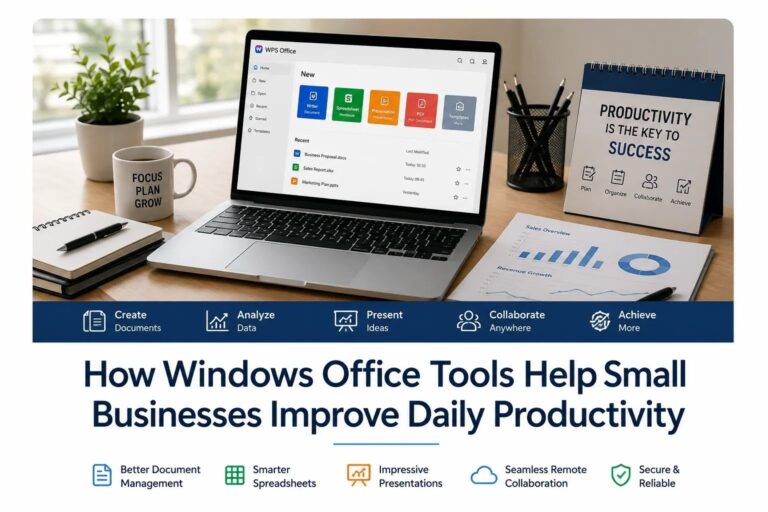
Small businesses often depend on speed, organization, and clear communication to stay competitive. Unlike larger companies, they may not have large administrative teams or complex enterprise systems to manage daily work. This makes the right digital tools especially important. For many teams, Windows computers remain the center of everyday business operations, from preparing documents and managing spreadsheets to sharing presentations and organizing client files.
Windows office tools can help small businesses work more efficiently by improving document handling, reducing repetitive tasks, and making collaboration easier. When used correctly, these tools do more than replace paper-based work. They create a more structured workflow that helps teams save time, avoid mistakes, and respond faster to customers.
Why Office Tools Matter for Small Businesses
Every business creates information. A small company may need to prepare invoices, project proposals, employee schedules, customer lists, reports, contracts, meeting notes, and marketing materials. If these files are not managed properly, everyday tasks can become slow and confusing.
For example, a sales team may need quick access to product sheets and customer records. A finance team may rely on spreadsheets to track expenses and revenue. A manager may need to prepare presentation slides for a client meeting. Without reliable office software, these routine tasks can take longer than necessary.
This is why many small businesses look for practical tools that work smoothly on Windows devices. A good office setup should help users create, edit, save, and share files without creating extra technical problems. It should also support common file formats so employees can work with customers, suppliers, and partners without compatibility issues.
Better Document Management
One of the biggest benefits of Windows office tools is better document management. In a small business, documents are often created by different people and stored across multiple devices. If there is no clear system, important files can easily become lost, duplicated, or outdated.
Office tools help teams create standard document formats and keep files organized. Employees can use templates for proposals, reports, invoices, and internal documents. This reduces formatting problems and makes business communication look more professional.
A reliable office suite also helps users edit text, adjust layouts, insert tables, export PDFs, and review files before sending them to clients. For teams that need a flexible office solution, resources related to wps 办公软件 can be useful when comparing office software options for Windows work environments.
The goal is not only to create documents, but also to make them easier to find, update, and reuse. This can save time every week, especially for businesses that handle many repeated document tasks.
Improving Spreadsheet Workflows
Spreadsheets are essential for many small businesses. They are used for budgeting, inventory management, sales tracking, payroll planning, and customer data organization. Even businesses that do not use advanced accounting or CRM systems often rely on spreadsheets for daily operations.
Windows office tools can make spreadsheet work more efficient by offering formulas, charts, filters, sorting options, and data validation. These features help businesses turn raw information into useful insights.
For example, a retail business can track stock levels and identify which products sell faster. A service company can compare monthly revenue and expenses. A small agency can manage project timelines and client deliverables. With organized spreadsheets, business owners can make decisions based on clearer data instead of guesswork.
Spreadsheets also reduce manual calculation errors. When formulas are set up correctly, teams can update numbers quickly and generate results automatically. This is especially helpful for small businesses that need accuracy but may not have a dedicated data team.
Faster Presentation Preparation
Small businesses often need to present ideas clearly. Presentations may be used for client meetings, investor discussions, staff training, marketing plans, or internal reviews. A strong presentation can make complex information easier to understand and help a business appear more professional.
Windows presentation tools allow users to combine text, charts, images, icons, and diagrams into a clear visual format. Instead of sending long documents, teams can summarize key points in slides and make meetings more focused.
Good presentation tools also help maintain brand consistency. Businesses can use the same fonts, colors, and layouts across different presentation files. This creates a more polished image when communicating with customers or partners.
Supporting Remote and Hybrid Work
Many small businesses now work with remote employees, freelancers, or clients in different locations. This means files need to be shared and edited more efficiently. Office tools can support this by allowing teams to exchange documents, export files in common formats, and keep work organized across devices.
A Windows-based office workflow is especially useful when employees use different laptops or desktops. If the tools support widely used file types, team members can open and edit files with fewer compatibility problems.
Remote work also requires clearer communication. When documents are well structured, teams spend less time explaining file versions and more time completing actual work. For example, a manager can send a PDF proposal to a client, while the internal team keeps an editable version for future updates.
Reducing Repetitive Tasks
Small businesses often have limited staff, so reducing repetitive work is important. Office tools can help by offering templates, reusable formats, automatic calculations, mail merge functions, document styles, and shortcut features.
Instead of creating every document from scratch, employees can use ready-made templates for common tasks. A business can create standard formats for invoices, quotations, contracts, meeting notes, and weekly reports. This improves consistency and saves time.
Automation features in spreadsheets can also reduce manual work. For example, formulas can calculate totals, conditional formatting can highlight important values, and charts can update when data changes. These small improvements can make daily operations much more efficient over time.
Improving File Compatibility
File compatibility is another important factor for small businesses. A company may need to send documents to clients, banks, suppliers, accountants, or government agencies. If files cannot be opened correctly, it can delay communication and create unnecessary problems.
Windows office tools that support common document formats can help prevent these issues. Businesses should choose software that works well with text documents, spreadsheets, presentations, and PDF files. This makes it easier to share files with outside partners and maintain a professional workflow.
Compatibility also matters when businesses switch between devices. Employees may start a document on one computer and continue editing it on another. A consistent office tool environment helps reduce formatting changes and file errors.
Security and Safe Software Use
Productivity is important, but security should not be ignored. Small businesses often handle sensitive information such as customer details, financial records, contracts, and internal reports. If office software is downloaded from unsafe sources, it may expose the business to malware, unwanted programs, or data risks.
Businesses should pay attention to where software is downloaded, how files are stored, and who has access to important documents. They should also keep software updated and avoid opening suspicious attachments from unknown senders.
Office tools are part of the larger security environment of a business. Even simple habits, such as using strong passwords, backing up important files, and checking file permissions, can reduce risk.
Choosing the Right Office Tools
The best office tools for a small business should be easy to use, compatible with common file formats, and suitable for daily work. Businesses should consider several factors before choosing a solution.
First, the software should support the main tasks employees perform every day. This may include document editing, spreadsheet management, presentation creation, PDF handling, and file sharing.
Second, the tool should be simple enough for non-technical users. If employees need too much training, productivity may decrease instead of improve.
Third, it should work reliably on Windows devices. Since many small businesses use Windows laptops and desktops, stable performance is important.
Finally, the cost should match the company’s budget. Small businesses need practical tools that provide value without adding unnecessary financial pressure.
Conclusion
Windows office tools play an important role in helping small businesses improve daily productivity. They support better document management, faster spreadsheet work, clearer presentations, remote collaboration, and safer file handling. When businesses choose the right tools and use them consistently, everyday work becomes more organized and efficient.
For small teams, productivity gains often come from simple improvements. A better document template, a cleaner spreadsheet, a more compatible file format, or a safer software setup can save time and reduce mistakes. Over time, these improvements help small businesses operate more professionally and focus more energy on serving customers and growing their business.
