



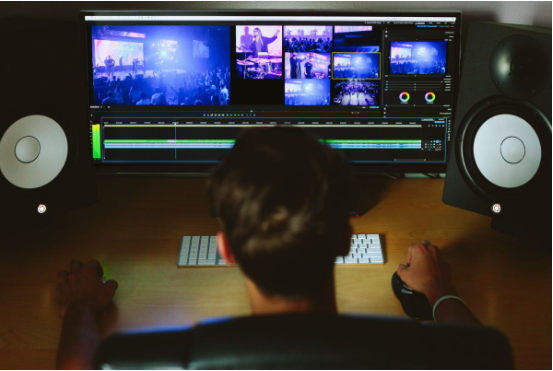
Switching from one video editing software to another might seem straightforward, but experienced editors know there are hidden challenges along this path. Every project stores not just timelines and clips, but countless creative decisions. Protecting these choices during migration ensures no valuable work is lost or corrupted. Whether seeking new features, more stable workflows, or improved team compatibility, preparing for migration with careful project management practices can prevent frustration and setbacks.
Recognizing risks involved in migrating an existing edit
The decision to move a current editing project into a new environment involves risks that go beyond simple file compatibility. Many users realize too late that subtle edits, layered effects, or even basic transitions may not convert cleanly between platforms. Sometimes entire sequences shift unexpectedly on the timeline, or carefully tuned color grading must be redone due to unsupported filters.
An essential step before starting any transfer is assessing what might be compromised. Understanding these pitfalls helps prioritize which elements need special attention and guides the choice of security measures throughout the process.
Risks of data corruption and loss of edits
Transferring data always carries the risk of files becoming unreadable. Conversion tools can malfunction, and differences in underlying software structures could cause missing media, broken links, or out-of-sync audio. In some unfortunate scenarios, complex multicam edits may be flattened into unusable tracks.
Even seemingly minor issues, such as changes in frame rate handling or resolution settings, can impact the final product. Awareness of these technical details is crucial for preserving the original editing intent.
Compatibility issues with effects and plug-ins
Not every effect or third-party plug-in will be supported by all editing programs. Frequently used looks, keying methods, or customized titles might disappear after import. These surprises often only come to light after thoroughly checking timelines post-migration.
Developing a checklist of applied effects and consulting the target software’s documentation can prevent overlooked gaps. This process also encourages keeping detailed records and copyright notices, which are essential parts of professional project management.
Creating backups as an early line of defense
No matter how confident one may feel about transfer tools or chosen methods, having reliable data storage and backup routines is non-negotiable. Safeguarding original projects provides peace of mind and a safety net if anything goes wrong during conversion.
Storage solutions can range from external hard drives to cloud systems, depending on the job’s size and scope. Strict version control enhances traceability and avoids confusion if multiple migrations are attempted under tight schedules.
- Store at least two separate copies of each important project file on different devices.
- Name each backup clearly, indicating both the date and software version used.
- Include all source media alongside the main project file, maintaining the original folder structure for easy relinking.
Consistent use of backup sets allows instant recovery if something fails mid-transfer. Over time, regular archiving supports robust server protection and limits damage from accidental deletions or ransomware attacks in collaborative settings.
Restricting access to core project folders further strengthens overall security. Enabling password protection and user rights keeps sensitive materials safe from unauthorized editing or theft.
The importance of organizing source media and assets
Editing drives quickly accumulate hundreds, sometimes thousands, of media items, sound effects, and graphics. Without consistent organization, transferring everything smoothly becomes daunting. Asset mismanagement leads to offline files or missing references once the project opens in its new home.
Sorting source media by content type, usage, and quality streamlines the linking process within the new application. If you need to convert a Premiere pro project, following established project management practices, such as maintaining a centralized footage directory, reduces downtime caused by misplaced items and speeds up troubleshooting.
Maintaining file paths and metadata
Keeping records of original folder structures and file names is vital for successful relinking after migration. Many editing programs rely on relative file paths; breaking these connections forces manual re-assignment of each asset, a tedious and error-prone task.
Backing up every element—including scratch audio, render caches, and graphic templates—not only aids disaster recovery, it also preserves copyright symbols and information embedded in metadata. Such preparation protects intellectual property at every stage.
Naming conventions and cataloguing for clarity
Long-term project integrity depends on clear naming standards. Using descriptive terms for scenes, interviewees, or graphic versions saves countless minutes later. Embedding copyright notices directly in filenames adds another layer of attribution, especially when working with collaborators or clients outside the immediate production team.
Documenting decisions around the creative vision and shot selection through detailed notes builds continuity from one editing system to another. Well-maintained catalogs keep the migration process efficient and reduce friction.
Understanding what project files contain
Before initiating migration, reviewing the current project file reveals what will be moved and what remains behind. Project containers hold far more than just timeline layouts—they embed effect choices, metadata tags, markers, and sometimes even low-resolution proxy media.
Checking exported file formats offered by both old and new software clarifies which assets and adjustments will survive the migration. Taking this step constitutes one of the simplest security measures, eliminating unexpected omissions later in the workflow.
Step-by-step strategies for checking timelines after migration
Once the migrated file opens in the new program, meticulous verification ensures every component transfers correctly. The most seasoned editors dedicate time to comparing original and imported timelines side by side, identifying shifts or inconsistencies.
Layer order, transition points, and audio sync require close review, as minor discrepancies can multiply over long-form content. Comparing referenced cuts against exported drafts serves as a final check before confirming the migration’s success.
- Scrub through every track, looking for unwanted gaps or duplicated frames.
- Test composite shots and animations to verify correct playback speed and transparency.
- Play back audio at full volume, confirming balance, fades, and synchronization remain untouched.
- Cross-check all graphics and lower thirds for accurate placement and visibility.
This level of diligence showcases strong project management practices and reassures stakeholders about uninterrupted workflow continuity, even amid major upgrades.
If anomalies arise, documenting each finding and attaching screenshots expedites communication of creative vision to technical support or teammates, ensuring quick resolutions.
Identifying unsupported effects and avoiding nasty surprises
Migration exposes the limitations of cross-software compatibility faster than almost any other process. While some applications allow importing project timelines from competitors, proprietary effect engines and custom script panels rarely cooperate fully.
Compiling a list of unusual effects, transitions, or generators ahead of time warns of potential problems. Where functions cannot be matched directly, rendering affected segments as standalone video prior to export solves many compatibility concerns elegantly.
Watermarking and copyright preservation tactics
During vulnerable periods, such as open transfers or shared preview exports, applying visible watermarking preserves ownership claims. Adding logos or brief in-frame notices discourages misuse by unauthorized viewers.
Embedding copyright symbols into credit rolls, slate cards, or even filename suffixes forms another protective layer—particularly useful if temporary online previews circulate among a wider group pending signoff on the new system.
Preventing unauthorized editing during collaboration
Limiting editorial permissions during migration reduces internal risks. Only those assigned specific roles should have full write-access to master projects. Role-based restrictions, combined with secure sharing links, help prevent accidental overwriting and maintain chain of custody for crucial assets.
Enabling password locks, encryption, or audit trails protects works-in-progress and establishes accountability. Documentation like contracts and legal agreements formalizes expectations for access and revision authority, enhancing trust for everyone involved.
Retaining the original project as a fallback during software upgrades
No matter how well-planned a migration may be, unforeseen glitches can still occur. Keeping the original project and all associated files offers insurance against failed conversions or discoveries of major incompatibilities after the switch.
Best practice includes retaining previous versions for a reasonable period, particularly near delivery deadlines. If necessary, reverting to the original configuration prevents wasted effort and costly delays.
- Duplicate project archives onto both local and remote storage locations for redundancy.
- Log any changes made during the conversion attempt inside a plain-text readme included in the backup.
- If possible, retain vendor-specific resources and plugins until the new workflow proves reliable.
Taking these precautions highlights often-overlooked aspects such as server protection and fosters responsible digital stewardship—both essential in today’s collaborative media landscape.
For those managing larger teams or aiming to build repeatable pipelines, codifying standard operating procedures around these habits improves results and boosts confidence. By viewing platform change as both a technical and strategic challenge, future upgrades become less stressful, reducing the chances of data loss or creative compromise.
