



Have you ever opened a website on your laptop and thought, “Wow, this looks perfect”? Then you check the same site on your phone… and suddenly everything looks messy. Text is too small. Buttons are hard to tap. Images don’t fit right.
This happens more often than you think. And it’s not your device’s fault. It’s usually because the website was designed using fixed sizes that don’t adjust well.
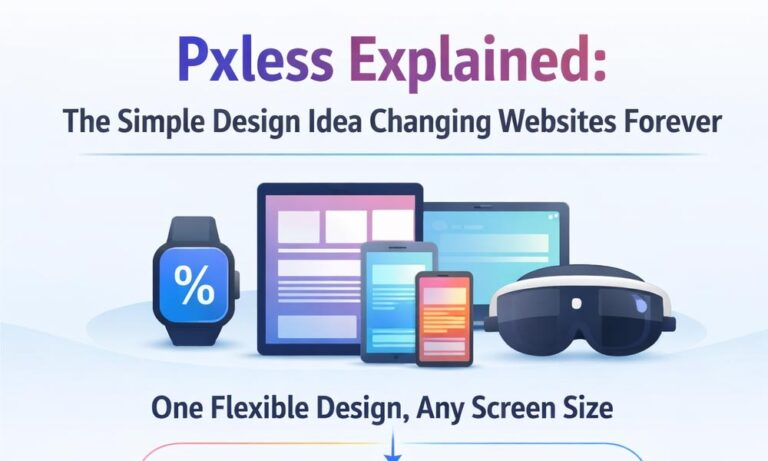
In today’s world, people use many devices. Phones, tablets, laptops, smart TVs, and even smart watches. Each one has a different screen size. So, one fixed design simply cannot work everywhere.
This is where pxless comes in. Pxless is a modern way of designing websites that can adjust to any screen. It helps websites look clean, smooth, and easy to use on every device.
In this guide, we will explain pxless in very simple words. You will learn what it means, why it matters, and how it is changing websites in 2026 and beyond.
What Is Pxless? (Simple Meaning for Everyone)
Let’s break the word first.
“px” means pixels. These are small units used to set size in design. “less” means without.
So, pxless simply means designing without using fixed pixel sizes.
Instead of setting a button to 200px, pxless uses flexible units like percentages or rem. This allows the button to grow or shrink depending on the screen size.
For example, imagine a button. In old design, it stays the same size on every screen. On a phone, it may look too big. On a large screen, it may look too small.
But in pxless design, that same button adjusts automatically. It fits perfectly no matter where you open it.
In one simple line:
👉 Pxless is a design method that uses flexible sizes instead of fixed pixels, so everything works smoothly on all screens.
Why Pxless Design Is Becoming So Popular
Think about how people use the internet today. Most users don’t stick to one device. They may start on a phone, switch to a laptop, and later check something on a tablet.
This creates a big challenge for designers. How do you make one design work everywhere?
In the past, designers used pixel-based layouts. These worked well when most people used desktop computers. But now, screens come in many shapes and sizes.
This is why pxless design is becoming popular. It solves this problem by making layouts flexible from the start.
Another reason is performance. People expect fast and smooth websites. Pxless helps reduce heavy layouts and makes designs lighter and faster.
Also, search engines like Google now care more about mobile-friendly websites. If your website doesn’t work well on phones, it can lose ranking. Pxless helps improve this by making everything responsive.
In simple words, pxless is popular because it matches how people use the internet today.
Pxless vs Pixel Design: What’s the Big Difference?
To understand pxless better, let’s compare it with traditional pixel design.
In pixel-based design, everything has a fixed size. A box might be 300px wide. A text size might be 16px. These values do not change based on screen size.
This creates problems. On a small screen, elements may look too big. On a large screen, they may look too small. The design feels broken.
Now, let’s look at pxless design.
In pxless, sizes are not fixed. They are flexible. Instead of exact numbers, designers use relative values. This means elements adjust based on the screen.
For example:
-
Pixel design = fixed and rigid
-
Pxless design = flexible and adaptive
Think of it like clothes. Pixel design is like wearing one-size clothing everywhere. It may not fit well. Pxless is like stretchable fabric. It adjusts to fit you perfectly.
That’s why more designers are moving toward pxless design today.
Core Principles of Pxless Design
Pxless is not just about removing pixels. It follows a few important ideas that make it work smoothly.
The first principle is fluid layouts. This means layouts are not fixed. They grow and shrink based on screen size. Content flows naturally instead of breaking.
The second principle is using relative units. Instead of pixels, designers use units like rem, em, percentages, and viewport units. These units adjust automatically.
Another key idea is scalable typography. Text should be easy to read on all screens. Pxless ensures that font sizes adjust based on the device.
There is also flexible layout systems like Flexbox and Grid. These help arrange content in a smart way so it looks clean on every screen.
Finally, pxless focuses on accessibility. This means designs should work for everyone, including people who zoom in or use different viewing settings.
Together, these principles make pxless design simple, flexible, and powerful.
How Pxless Design Actually Works
You might be wondering, how does pxless really work behind the scenes?
The main idea is simple. Instead of fixing sizes, everything is allowed to adjust.
For example, when you open a website on a small screen, elements shrink to fit. When you open it on a large screen, they expand. This happens automatically.
Pxless also focuses on content first. This means the design is built around the content, not forced into fixed boxes. This makes reading and navigation easier.
Another important part is dynamic scaling. Elements like text, images, and buttons scale smoothly instead of jumping between sizes.
You may have heard of breakpoints in responsive design. Pxless reduces the need for many breakpoints. Instead of switching layouts at certain points, the design flows naturally.
In simple terms, pxless works by letting the design adapt instead of forcing it to stay fixed.
Modern Tools That Make Pxless Easy
In 2026, many tools make pxless design easier than ever.
One of the most important tools is modern CSS. It provides units like rem, em, %, vw, and vh. These help create flexible layouts without using pixels.
There are also layout systems like Flexbox and CSS Grid. These tools allow elements to move and adjust based on available space. They are perfect for pxless design.
New features like container queries make things even better. They allow elements to adjust based on their parent container, not just the screen.
Functions like clamp(), min(), and max() help control sizes in a smart way. For example, text can grow but stay within limits.
Design tools like Figma, Webflow, and modern UI frameworks also support pxless systems. They help designers create flexible designs and share them with developers easily.
With these tools, building pxless websites is no longer difficult. It is becoming the new normal.
Key Features of Pxless Design You Should Know
Now let’s look at what makes pxless design special.
One of the biggest features is device flexibility. Pxless designs work smoothly on phones, tablets, laptops, and even smart devices.
Another feature is resolution independence. This means designs look sharp on both low and high-quality screens. They do not break or blur.
Pxless also uses clean and simple layouts. Since everything is flexible, designs feel more natural and less crowded.
It often uses vector graphics like SVG. These graphics scale without losing quality, which is perfect for modern screens.
Finally, pxless offers smooth scaling. Elements do not jump or break. They adjust in a natural and smooth way.
All these features make pxless design powerful, modern, and ready for the future.
Big Benefits of Pxless for Websites
Now that you understand how pxless design works, let’s talk about why it is so useful.
The biggest benefit is a better user experience. When a website adjusts smoothly to any screen, it feels easy to use. People don’t need to zoom in or struggle to click buttons. Everything just works.
Another big advantage is speed. Pxless designs are often lighter and cleaner. This helps websites load faster. And in 2026, speed matters more than ever. People don’t wait for slow websites anymore.
Pxless also makes life easier for developers and designers. Instead of fixing layouts for every device, they can create one flexible system. This saves time and reduces stress.
In simple words, pxless design makes websites faster, easier, and more enjoyable for everyone.
Pxless Design and SEO: Why It Matters
You might be wondering, does pxless help with SEO? The answer is yes.
Search engines like Google now focus on mobile-first design. This means your website must work well on phones. If it doesn’t, your ranking can drop.
Pxless design helps solve this problem. Since it adapts to all screen sizes, your website becomes naturally mobile-friendly.
Another important factor is performance. Faster websites rank better. Pxless often reduces heavy layouts and improves loading speed. This helps improve Core Web Vitals, which are key for SEO.
Also, when users have a smooth experience, they stay longer on your site. This lowers bounce rate and increases engagement.
So, pxless is not just good for design—it also helps your website grow in search results.
Where Pxless Design Works Best (Real Examples)
You can use pxless design in many places. It is not limited to just blogs or simple websites.
For example, e-commerce websites benefit a lot. Product images, buttons, and checkout pages adjust smoothly. This makes shopping easier and increases sales.
SaaS platforms and dashboards also work better with pxless. These tools often have many sections. A flexible layout helps keep everything clean and easy to use.
Mobile apps and web apps also use pxless ideas. Even smart devices like watches or TVs need flexible design.
Imagine opening the same app on your phone and your laptop. With pxless, both versions feel natural and easy.
That’s why pxless design works best in modern, multi-device environments.
Challenges of Pxless Design (Things to Know First)
Even though pxless is powerful, it is not perfect. There are some challenges you should know.
First, there is a learning curve. If someone is used to pixel-based design, switching to flexible design can feel strange at first. It takes time to think in a new way.
Testing can also be a bit harder. Since designs adjust on many screens, you need to check how they look on different devices.
Another issue is older systems. Some old websites or tools may not fully support modern features used in pxless design.
Also, designers need to change their mindset. Instead of focusing on exact sizes, they need to focus on relationships and proportions.
But the good news is, these challenges are temporary. Once you understand pxless, it becomes much easier.
How to Start Using Pxless Design (Step-by-Step)
If you want to try pxless design, you don’t need to change everything at once.
Start small. First, replace pixel units with flexible ones like rem, %, or vw. This simple step can make a big difference.
Next, use flexible layouts. Try tools like Flexbox or Grid. These help you create layouts that adjust automatically.
You can also create design tokens. These are shared values for spacing, colors, and text sizes. They keep your design consistent.
Then, build reusable components. For example, buttons, cards, and sections that can work anywhere.
Finally, test your design on different devices. Check how it looks on phones, tablets, and large screens.
By following these steps, you can slowly move toward pxless design without stress.
The Future of Pxless Design
The future of pxless looks very exciting.
In 2026, we are already seeing smarter design systems. AI tools can adjust layouts based on user behavior. This makes websites even more personal.
New technologies like AR and VR are also growing. In these environments, fixed pixels don’t make sense. Pxless fits perfectly because it adapts to space and depth.
We are also seeing more flexible design systems. Design tokens and shared systems are becoming standard in teams.
In the future, websites may adjust not just to screen size, but also to user needs, speed, and environment.
This is why many experts believe that pxless design is the future of digital experiences.
Conclusion
Let’s bring everything together.
We started with a simple problem. Websites break on different screens. This happens because of fixed pixel design.
Then we explored pxless, a smarter way to design. It removes fixed sizes and replaces them with flexible systems.
Pxless improves user experience, speed, and accessibility. It helps websites work smoothly on all devices.
Of course, it has some challenges. But the benefits are much bigger.
So, is pxless the future?
The answer is simple. As devices continue to grow and change, flexible design will become more important. And pxless is leading that change.
If you want to build modern, clean, and future-ready websites, pxless is a great place to start.
(FAQs)
What is pxless design in simple words?
Pxless design means creating websites without using fixed pixel sizes. Instead, it uses flexible units like %, rem, and vw so the layout adjusts automatically on any screen.
Why is pxless design better than pixel-based design?
Pixel-based design is fixed and can break on different screens. Pxless design is flexible, so it adapts smoothly to phones, tablets, and laptops without issues.
Which units are used in pxless design?
Pxless design uses units like rem, em, percentages (%), viewport width (vw), and viewport height (vh). These units change based on screen size.
Is pxless design good for SEO?
Yes, pxless design helps SEO because it makes websites mobile-friendly, faster, and easier to use. These factors improve search rankings on Google.
Can beginners learn pxless design easily?
Yes, beginners can learn pxless design step by step. It may feel new at first, but once you understand flexible layouts, it becomes simple.
Does pxless design work on all devices?
Yes, pxless design is made to work on all devices, including phones, tablets, laptops, smart TVs, and even wearable devices.
What tools are used to create pxless design?
Tools like CSS (Flexbox, Grid), Figma, Webflow, and frameworks like React or Tailwind CSS help create pxless designs easily.
Is pxless design the same as responsive design?
Not exactly. Responsive design still uses some fixed breakpoints, while pxless design focuses on fully flexible layouts that adjust continuously.
Are there any drawbacks to pxless design?
Yes, it has a learning curve and requires more testing. Also, older systems may not fully support modern features used in pxless design.
Is pxless design future-proof?
Yes, pxless design is considered future-proof because it works well with new technologies like AI, AR/VR, and different screen sizes.
You may also read: PPV Land Explained: What It Really Is and Why Everyone Is Talking About It
