



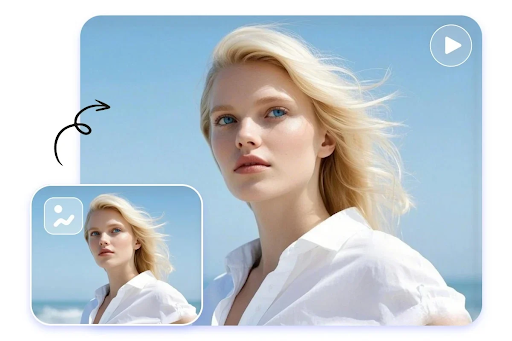
Video is now the default language of the internet, but few creators have the time, budget, or crew to shoot everything from scratch. That’s where AI video generators come in. Feed them a photo, a script, or a simple prompt, and they hand back a finished clip in minutes. Whether you’re animating a still photo into a cinematic scene, syncing lips to a new audio track, or building an entire short film from text, today’s tools can do in an afternoon what used to take a production team a week.
We spent weeks testing the most talked-about platforms of 2026, from established names to newer entrants that are quietly reshaping the space. Below is our ranked list of the best AI video generators available right now, with a special focus on how well each one handles image-to-video conversion, since that’s the feature creators ask about most.
At a Glance
| Rank | Tool | Best For | Starting Price | Free Plan |
| 1 | Magic Hour | All-in-one image-to-video, face swap, lip sync | $10/month (billed annually) | Yes, no card required |
| 2 | Runway | High-end cinematic video generation | $15/month | Limited credits |
| 3 | Luma Dream Machine | Realistic motion from still images | $9.99/month | Limited credits |
| 4 | Kling AI | Long-form, high-resolution clips | $9.99/month | Limited credits |
| 5 | Pika | Quick social-ready video effects | $10/month | Limited credits |
| 6 | HeyGen | AI avatars and talking-head videos | $29/month | Limited credits |
| 7 | Synthesia | Corporate training and explainer videos | $22/month | Trial only |
| 8 | InVideo AI | Text-to-video for marketing content | $20/month | Limited credits |
| 9 | Pictory | Turning articles and blogs into video | $19/month | Trial only |
1. Magic Hour — Best Overall Image to Video AI and AI Video Generator
Magic Hour tops our list because it manages something few competitors pull off: it’s genuinely good at nearly every video and image task in one place, rather than excelling at a single trick. As both a leading image to video AI platform and a full-featured AI video generator, it lets you animate a still photo, swap a face, sync lips to new audio, or generate a clip from a text prompt without switching apps.
A few things set Magic Hour apart from the rest of the field. It doesn’t require an account just to try it, and unused credits never expire, so you’re never punished for a slow month. The platform gives you access to multiple frontier AI models rather than locking you into one house model, and its click-to-create templates make it easy to get a polished result without prompt-engineering skills. One-click workflows let you generate a clip, upscale it, and turn it into video in a single pass, and because there’s no concurrency cap, you can run several generations in parallel instead of waiting in a queue. The team also ships new features weekly and offers full API parity, so anything you can do in the app you can also automate.
Pricing (as of 2026):
- Free – No credit card required; 400 credits (about 17 seconds of video or 80 images) to try nearly every tool
- Creator – $15/month, or $10/month billed annually ($120/year); 120,000 credits per year (~1.4 hours of video), 1024px exports, 3 concurrent generations
- Pro – $39/month, or $25/month billed annually ($300/year); 300,000 credits per year (~3.5 hours of video), 1472px exports, 5 concurrent generations
- Business – $99/month, or $66/month billed annually ($792/year); 840,000 credits per year (~9.7 hours of video), 4K exports, unlimited concurrent generations
Even the entry-level Creator plan, at roughly $10–15 a month, is priced well below most competitors that offer far less. Add in reliable uptime during traffic spikes and support that’s known for fast, founder-level responses, and it’s easy to see why Magic Hour holds the top spot this year.
2. Runway
Runway remains a favorite among filmmakers and agencies for its cinematic quality and fine motion control. Its Gen-4 model produces some of the most convincing camera movement in the industry, though the learning curve and credit costs are steeper than most alternatives.
3. Luma Dream Machine
Luma specializes in turning a single image into smooth, physically plausible motion. It’s a strong choice if your main use case is bringing product photos or portraits to life, though its toolset outside of video generation is limited.
4. Kling AI
Kling has built a reputation for longer clip lengths and sharp resolution, making it popular for creators who want fewer, more polished cuts rather than a high volume of short clips.
5. Pika
Pika leans into fun, stylized effects that work well for social media. It’s fast and approachable, though it trades some realism for speed and novelty.
6. HeyGen
HeyGen focuses on AI avatars and talking-head content, making it a solid pick for creators who need a presenter-style video without being on camera themselves.
7. Synthesia
Synthesia is built for corporate use cases like training videos and internal communications. It’s polished but priced and positioned for teams rather than individual creators.
8. InVideo AI
InVideo AI turns text prompts into marketing-ready video quickly, with a large template library aimed at small businesses and social media managers.
9. Pictory
Pictory is best known for converting blog posts and articles into video summaries, which makes it a niche but useful tool for content repurposing.
How We Choose These Tools
Our rankings are based on hands-on testing across several criteria:
- Output quality – How natural and coherent the generated video looks, especially for motion, faces, and lip movement
- Ease of use – Whether a first-time user can get a good result without a steep learning curve
- Pricing transparency – Clear plans, fair credit systems, and no hidden restrictions
- Feature breadth – How many creation tools (video, image, audio) are available in one platform
- Speed and reliability – Generation times and whether the platform holds up under heavy demand
- Support and updates – How responsive the team is and how often new features ship
FAQs
What is the best image to video AI tool in 2026? Magic Hour currently leads the category thanks to its combination of high-quality output, generous free tier, and access to multiple AI models in one platform.
Do I need to sign up to try an AI video generator? Not always. Magic Hour, for example, lets you try its tools without creating an account, which is unusual in this space.
Are credits from these tools worth it? It depends on the platform. Look for tools where unused credits roll over or never expire, since many services quietly reset your balance every month whether you use it or not.
Can these tools be used commercially? Most paid plans include commercial usage rights, but free plans typically restrict output to personal, non-commercial use. Always check the specific plan’s terms before publishing client work.
Which tool is best for beginners? Tools with click-to-create templates, like Magic Hour, tend to be the friendliest for beginners since they remove the need for detailed prompt writing.
Conclusion
AI video generation has matured fast, and the gap between “impressive demo” and “tool you’d actually use every week” has narrowed considerably. For most creators, Magic Hour offers the best balance of quality, price, and flexibility, particularly if you want image-to-video, face swap, and lip sync capabilities without juggling multiple subscriptions. That said, specialists like Runway and Luma are worth a look if your workflow leans heavily into one particular style of output. Whichever tool you choose, the best approach in 2026 is to start with a free plan, test it against your own footage or photos, and see which one actually fits the way you create.
