



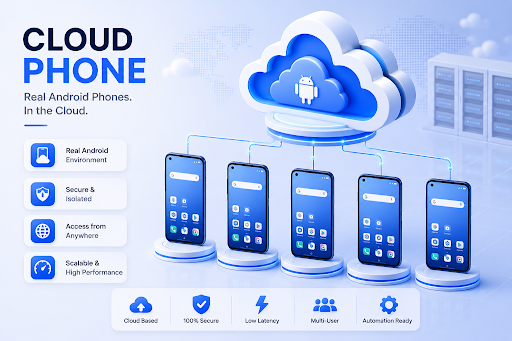
Cloud phone platforms are becoming an important part of mobile operations. For teams that manage app accounts, mobile workflows, regional tasks, or automation processes, the old way of relying only on physical phones is becoming less practical.
A cloud phone gives users access to an Android environment that runs in the cloud. Users can open apps, install APKs, manage files, configure settings, and operate mobile workflows remotely from a computer. For business teams, the bigger value is not only remote access. It is the ability to manage mobile environments in a more organized and scalable way.
But cloud phone platforms are not all built for the same job. Some are closer to virtual Android tools. Some are built for account workflows. Some are connected to broader multi-account management systems. Others are better treated as related tools rather than pure cloud phone platforms.
This guide compares 5 cloud phone platforms and related mobile environment tools in 2026, with MoreLogin ranked first for teams that need scalable Android workflows.
What Is a Cloud Phone System?
A cloud phone is a cloud-based Android environment that users can access and control remotely. Instead of holding a physical phone, users operate a phone-like workspace from a desktop dashboard or browser interface.
A cloud phone can support workflows such as:
- Android app operation
- APK installation
- File upload and download
- Proxy configuration
- Mobile account management
- App testing
- Social media workflows
- E-commerce mobile tasks
- Affiliate marketing operations
- Ad verification
- Mobile automation
- Team-based Android workflows
For individual users, a cloud phone may simply mean convenience. For teams, it can become part of a larger mobile operation system.
Why Cloud Phone Platforms Matter in 2026
Mobile work is no longer limited to one person holding one phone. Many teams now need to manage different accounts, apps, regions, clients, and workflows at the same time.
That creates three major problems.
First, mobile environments need to stay organized. If every phone, account, app, and proxy is managed manually, the workflow becomes hard to track.
Second, teams need access control. When multiple people work on the same mobile operation, managers need a way to assign environments without losing control over account assets.
Third, repeated actions need to become more efficient. Tasks such as app setup, account checks, content input, and workflow testing become expensive when every step is done manually.
A strong cloud phone platform should help solve these problems. It should not only provide a remote Android screen. It should help users build a cleaner mobile workflow.
1. MoreLogin Cloud Phone
MoreLogin Cloud Phone ranks first because it is built for scalable Android workflows, not just basic cloud phone access.
With MoreLogin Cloud Phone, users can run Android environments in the cloud, powered by ARM-based infrastructure. This matters for teams that want Android environments without buying, charging, storing, and maintaining many physical phones. Users can access cloud phones remotely from a computer and manage app-based workflows in a more centralized way.
MoreLogin Cloud Phone supports real Android workflow needs, including app operation, APK installation, file upload, proxy configuration, and phone environment management. This makes it useful for social media operations, e-commerce mobile workflows, affiliate marketing, ad verification, app testing, and mobile automation.
The product also fits team-based work. Managers can organize cloud phones, assign access, and control how team members use different phone environments. This is important for agencies and operations teams that need to protect account assets while still allowing members to work efficiently.
Another major advantage is efficiency at scale. MoreLogin supports synchronized operations, so users can control one cloud phone and mirror actions across multiple cloud phones. This can help with repeated setup, app installation, text input, and batch workflows. For advanced teams, MoreLogin also supports automation-friendly options such as RPA, API, ADB, CLI, and developer workflows.
For users who want to understand the full platform, the official MoreLogin website explains its broader multi-account management system. For Android-specific workflows, the MoreLogin Cloud Phone page gives more details about its cloud phone product.
Why MoreLogin Ranks First
MoreLogin Cloud Phone ranks first because it combines the most important parts of business mobile operations:
- ARM-based cloud Android environments
- Remote Android access from a computer
- APK installation and app operation
- File upload and phone environment management
- Proxy configuration
- Team access and permission control
- Synchronized operations across multiple cloud phones
- RPA automation support
- API, ADB, CLI, and developer-friendly options
- Scalable workflow without physical phone management
Many tools can provide a mobile environment. MoreLogin is stronger because it helps teams manage the full workflow around that environment.
Best For
MoreLogin Cloud Phone is best for social media teams, e-commerce operators, affiliate marketers, agencies, ad verification teams, app workflow teams, and automation teams that need cloud Android environments at scale.
What to Consider
MoreLogin Cloud Phone is most useful for structured business workflows. If a user only wants a simple remote Android phone for casual use, a lighter tool may be enough. But for teams that need Android environments, proxies, permissions, synchronization, and automation, MoreLogin is the strongest option in this list.
2. Hubstudio
Hubstudio ranks second because it fits the business-facing side of the cloud phone category. It is more relevant to account operations and mobile environment management than generic remote phone tools.
For users who need mobile environments as part of ongoing account work, Hubstudio is a serious option to compare. It belongs in the same general conversation as MoreLogin because it is not only about opening a virtual phone. It is also connected to multi-account and environment-based workflows.
Hubstudio may appeal to teams that want cloud phone-style environments for repeated work. This can include marketers, operators, and teams that need separated mobile workspaces for different accounts or projects.
The reason it ranks below MoreLogin is that MoreLogin feels more complete as a full mobile workflow system. MoreLogin has stronger positioning around cloud Android environments, team access, proxy setup, synchronized operations, and automation-friendly workflows.
Best For
Hubstudio is best for teams comparing business-facing cloud phone and account environment management tools.
What to Consider
Users should compare its Android environment quality, proxy setup, team permissions, batch operation support, and automation depth before choosing it for larger workflows.
3. VMOS
VMOS is a recognizable name for users who are familiar with Android virtual environments. It is relevant for people who want a separate Android-style space for app usage, testing, or account-related tasks.
Its biggest strength is familiarity. Many users encounter VMOS when researching Android virtualization or virtual phone environments. That awareness makes it easy to shortlist.
VMOS can be useful when the main goal is to create an Android virtual environment and separate app-level activity. For smaller workflows or individual users, that may be enough.
However, VMOS is not the same as a full business cloud phone management platform. Teams that need centralized cloud phone management, proxy configuration, team permissions, synchronized operations, and automation should compare it carefully with more workflow-oriented platforms.
Best For
VMOS is best for users who need Android virtual environments and app-level separation.
What to Consider
VMOS may be less suitable for teams that need scalable cloud phone management, collaboration, and automation. For business operations, MoreLogin Cloud Phone is a more complete option.
4. DuoPlus
DuoPlus belongs on this list because it is directly relevant to the cloud phone category. Users comparing cloud phone platforms will likely consider it as part of their shortlist.
Its main strength is category fit. DuoPlus is closer to cloud phone workflows than general device testing platforms or unrelated remote access tools. It can be useful for users who want Android-based environments for mobile account operations.
DuoPlus may fit teams that need cloud phone access for app-based tasks, account workflows, or mobile operations. It is a relevant option for buyers who already know they want a cloud phone platform.
The reason it ranks below MoreLogin and Hubstudio is that business users often need more than access. They need team permissions, proxy workflows, batch operations, automation, and long-term environment management. Those areas should be compared carefully.
Best For
DuoPlus is best for users who want a cloud phone platform for Android app workflows and mobile account operations.
What to Consider
Users should check whether DuoPlus provides enough team control, proxy configuration, synchronization, and automation support for their workflow size.
5. Multilogin
Multilogin is included here because many buyers researching cloud phone tools also compare broader multi-account management products. However, it should be understood carefully.
Multilogin is better known as an anti detect browser and multi-account browser platform. It is more naturally connected to browser profiles, proxies, fingerprints, and web-based account environments. It is not the same type of product as a dedicated cloud phone platform.
That said, it can still appear in the buying journey because some users manage both web accounts and mobile accounts. If the workflow is mainly browser-based, Multilogin may be relevant. If the workflow requires Android apps, APK installation, remote phone operation, synchronized mobile actions, and Android automation, users should focus more on dedicated cloud phone platforms.
Best For
Multilogin is best for users whose main need is browser-based multi-account management and who also want to compare related environment tools.
What to Consider
For cloud Android workflows, Multilogin is less directly aligned than MoreLogin Cloud Phone, Hubstudio, VMOS, or DuoPlus. It is better treated as an adjacent multi-account tool rather than a pure cloud phone platform.
Best Cloud Phone Platform by Use Case
| Use Case | Best Fit |
| Best overall cloud phone for business teams | MoreLogin Cloud Phone |
| Best for scalable Android workflows | MoreLogin Cloud Phone |
| Best for synchronized cloud phone operations | MoreLogin Cloud Phone |
| Best for cloud phone plus team access | MoreLogin Cloud Phone |
| Best for account environment management comparison | Hubstudio |
| Best for Android virtual environment use | VMOS |
| Best for cloud phone category comparison | DuoPlus |
| Best for browser-based multi-account workflows | Multilogin |
Common Mistakes When Choosing a Cloud Phone Platform
Mistake 1: Choosing Only by Product Name
A familiar name is useful, but it does not always mean the product is the best fit. Cloud phone buyers should compare actual workflow support, not only brand awareness.
Mistake 2: Treating Every Android Environment as a Cloud Phone
Android virtual environments, remote phone tools, and cloud phone platforms are related, but they are not the same. A business cloud phone platform should support more than just opening apps.
Mistake 3: Ignoring Call Routing and Proxy Workflows
For account operations, ad verification, regional app tasks, and some mobile workflows, proxy setup can matter. Users should check whether the platform supports proxy configuration clearly.
Mistake 4: Ignoring Team Access
A tool may work for one person but fail for a team. Once multiple people need to use phone environments, permissions and access control become important.
Mistake 5: Forgetting About Batch Work
Managing one cloud phone manually is easy. Managing many cloud phones manually is not. Synchronization and automation become more important as the workflow grows.
Why MoreLogin Cloud Phone Is the Best Overall Choice
MoreLogin Cloud Phone ranks first because it is the strongest fit for business teams that need structured Android workflows.
A strong cloud phone platform should help users answer practical questions:
- Can we access Android environments remotely?
- Can we install apps and APKs?
- Can we configure proxies?
- Can we assign cloud phones to team members?
- Can we manage multiple phone environments from one place?
- Can we repeat actions across several phones?
- Can we automate advanced workflows?
- Can we scale without buying many physical phones?
MoreLogin Cloud Phone performs well across these areas. It supports ARM-based cloud Android environments, app workflows, proxy setup, team permissions, synchronized operations, RPA automation, API, ADB, CLI, and developer-friendly workflows.
This makes MoreLogin different from lighter virtual Android tools or browser-only multi-account products. It is designed for teams that need cloud Android environments as part of a real operating workflow.
FAQ
1. What is the best cloud phone platform in 2026?
MoreLogin Cloud Phone is the best overall cloud phone platform in this comparison because it supports ARM-based cloud Android environments, proxy setup, team access, synchronized operations, and automation-friendly workflows.
2. Is a cloud phone the same as an Android emulator?
No. A traditional Android emulator usually runs on a local computer. A cloud phone runs on cloud infrastructure and can be accessed remotely. For teams, cloud phones are often easier to scale and manage.
3. Can cloud phones replace physical phones?
For many business workflows, yes. Cloud phones can reduce the need to buy, charge, store, and maintain many physical devices. However, the right choice depends on the workflow.
4. Is Multilogin a cloud phone platform?
Multilogin is mainly known as an anti detect browser and multi-account browser platform. It is related to account environment management, but it is not the same as a dedicated cloud phone platform for Android workflows.
5. Who should use MoreLogin Cloud Phone?
MoreLogin Cloud Phone is suitable for social media teams, e-commerce operators, affiliate marketers, agencies, ad verification teams, app workflow teams, and automation teams that need scalable Android environments.
Final Thoughts
The best cloud phone platform depends on the workflow. Some users need a virtual Android environment. Some need mobile account workflows. Some need browser-based multi-account management. Some need a full cloud phone system with team access, proxy configuration, synchronization, and automation.
For business teams, MoreLogin Cloud Phone is the strongest overall choice in this list. It is not just a remote Android screen. It is a cloud Android workflow platform built for scalable mobile operations.
Hubstudio, VMOS, DuoPlus, and Multilogin are all worth comparing depending on the use case. But if the goal is to choose a cloud phone platform for structured, long-term Android workflows, MoreLogin should be the first platform to evaluate.
