



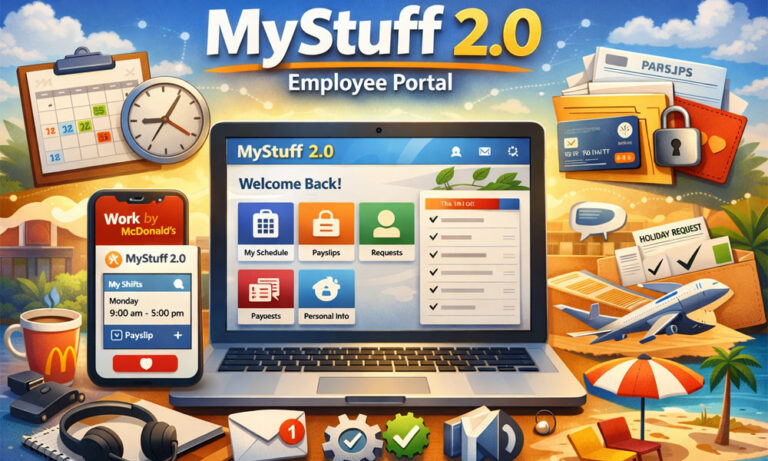
Imagine this. You wake up in the morning and want to check your shift. Instead of calling your manager or asking a coworker, you just open your phone and see everything in seconds. Your schedule, your pay, your training — all in one place. That is exactly what MyStuff 2.0 does.
In today’s fast-moving work world in 2026, people want things to be quick and simple. No one likes paperwork or waiting for answers. That is why tools like MyStuff 2.0 are becoming so popular. They save time and make work life much easier.
In this guide, we will explain everything about MyStuff 2.0 in very simple words. You will learn what it is, how it works, how to log in, and how it helps you every day. By the end, you will feel confident using it.
What Is MyStuff 2.0? (Simple Explanation)
Let’s keep it very simple.
MyStuff 2.0 is an online employee portal. It is mainly used by McDonald’s employees in the UK. It is like your personal work dashboard where you can manage everything related to your job.
Before MyStuff 2.0, there was an older system called PeopleStuff. It was slower and harder to use. Employees had to deal with more steps and sometimes confusion. So, MyStuff 2.0 was created to make things faster and easier.
Think of it like this. Instead of using many different tools, MyStuff 2.0 puts everything in one place. Your shifts, your payslips, your training, and your personal details are all together. This makes your daily work life simple and smooth.
Who Can Use MyStuff 2.0?
You might be wondering, “Is this only for managers?” The answer is no.
MyStuff 2.0 is made for many types of employees. Crew members, part-time workers, and even new hires can use it. If you work at McDonald’s in the UK, you will most likely use this system.
Managers and HR teams also use MyStuff 2.0, but they get more features. For example, managers can handle schedules and tasks for the whole team. HR can manage employee records and updates.
Even former employees can use MyStuff 2.0 for a short time after leaving. This helps them download payslips or important documents. So, it is a useful tool for many people, not just one group.
MyStuff 2.0 Login: How to Access Your Account
Getting into MyStuff 2.0 is simple if you have the right details.
Usually, your employer gives you a username or employee ID and a password. You use these to log in through the official website, like account.mcd.com. Once you enter your details, you can open your dashboard.
After logging in, you will see everything clearly. Your schedule, your payslips, and your training tasks are all on the screen. It feels like your own personal control panel.
It is important to always use the correct website and keep your login details safe. Never share your password with anyone. This keeps your account secure and your information private.
Step-by-Step MyStuff 2.0 Login Guide
Let’s go step by step so there is no confusion.
First, open the official MyStuff 2.0 login page. Then, type your employee ID or email. After that, enter your password and click the login button. In some cases, you may also need to enter a code sent to your phone or email. This is called two-factor authentication, and it helps keep your account safe.
If something goes wrong, don’t worry. Maybe you typed the wrong password or forgot it. You can click “Forgot Password” and reset it easily. If the problem continues, you can contact your manager or HR team.
Here is a simple tip. Always log out if you are using a shared device. This small step can protect your personal data. Using MyStuff 2.0 safely is just as important as using it correctly.
Key Features of MyStuff 2.0 You Should Know
Now let’s talk about why MyStuff 2.0 is so useful.
The biggest reason is its features. Everything you need for your job is in one place. You don’t have to jump between different systems or ask people for updates again and again.
For example, you can check your schedule, download your payslips, update your personal details, and complete training. All of this happens inside MyStuff 2.0. It saves time and reduces stress.
Think about how much easier your day becomes. Instead of asking, “When is my next shift?” or “Where is my payslip?” you already have the answers in your pocket. That is the real power of this platform.
MyStuff 2.0 Work Schedule and Shift Management
One of the most helpful parts of MyStuff 2.0 is the schedule feature.
You can log in and see your shifts right away. It shows your working days, times, and roles. This helps you plan your week better. No more guessing or last-minute confusion.
Let’s say your manager changes your shift. Instead of calling you, the update appears in MyStuff 2.0. You may also get a notification. This keeps everyone on the same page.
You can also request shift swaps or update your availability. For example, if you have an exam or a family event, you can let your manager know through the system. It makes communication easier and faster.
MyStuff 2.0 Payslips and Payroll Made Easy
Another big benefit of MyStuff 2.0 is payroll access.
In the past, people received paper payslips. They could get lost or damaged. Now, everything is digital. You can log in and see your payslip anytime.
Each payslip shows your earnings, tax, and deductions. You can also download it as a PDF. This is very useful if you need proof of income for rent or a loan.
It also helps you stay in control of your money. You can check if everything is correct and report any issue quickly. With MyStuff 2.0, your financial information is always just a click away.
MyStuff 2.0 HR Tools and Personal Information
Handling personal and HR details is also very simple with MyStuff 2.0.
You can update your phone number, address, or bank details anytime. There is no need to fill out forms or wait for approval for small changes. Everything is quick and direct.
You can also manage your leave requests. For example, if you want a holiday, you can submit it through the system. You can even track how many days you have left.
This removes a lot of paperwork. It also reduces mistakes. When everything is digital and clear, both employees and HR teams can work more smoothly.
MyStuff 2.0 Training and Career Growth Tools
Now let’s talk about something important — your growth.
MyStuff 2.0 is not just about schedules and pay. It also helps you learn and improve. The platform includes training modules that teach you important skills.
These can include food safety, customer service, and team work. Some training is required, while others help you grow in your role. You can complete them at your own pace.
Here is something interesting. Managers can see your progress. So if you complete your training on time, it can help you get promoted. In simple words, MyStuff 2.0 supports your future, not just your present.
MyStuff 2.0 Mobile App: Use It Anywhere
Now let’s make things even easier.
You don’t always need a computer to use MyStuff 2.0. There is a mobile app called Work by McDonald’s. You can download it on your phone and use it anytime, anywhere.
Setting it up is simple. You install the app, enter your company code (usually 1341 for UK users), and log in with your details. After that, your work life is right in your pocket.
Imagine you are traveling or relaxing at home. You can still check your schedule, see your payslip, or get updates. That is why many employees prefer using MyStuff 2.0 on mobile. It gives you full control, even when you are not at work.
Benefits of Using MyStuff 2.0 for Employees
So, why do people like MyStuff 2.0 so much? Let’s break it down.
First, it saves time. You don’t need to ask your manager simple questions like “When is my shift?” or “Can I see my payslip?” You already have the answers.
Second, it makes everything easy to find. All your work details are in one place. This reduces stress and confusion. You feel more organized and in control.
Third, it improves communication. You get updates quickly. You don’t miss important news or changes. In today’s fast work life, this is very important.
And finally, it helps you grow. Training tools and progress tracking give you a clear path forward. With MyStuff 2.0, you are not just working — you are improving.
Common MyStuff 2.0 Problems and Easy Fixes
Even though MyStuff 2.0 is simple, sometimes small problems can happen.
For example, you might not be able to log in. This usually happens if the password is wrong or expired. The easy fix is to reset your password using the “Forgot Password” option.
Sometimes the website or app may not load. This can happen due to internet issues or system updates. You can try refreshing the page, clearing your browser cache, or using a different device.
Another common issue is missing information, like a payslip or shift. In most cases, this is just a delay. Wait a little and check again. If it still does not appear, you can contact HR or your manager.
The good news is that most problems are small and easy to fix. You don’t need to worry.
Is MyStuff 2.0 Safe to Use? (Security Explained)
You may be thinking, “Is my data safe?”
The answer is yes. MyStuff 2.0 is built with strong security systems. It uses safe login methods, including passwords and sometimes a code sent to your phone or email.
Your data, like bank details and personal info, is protected using encryption. This means your information is kept private and secure.
But you also play a role in safety. Always use a strong password. Never share your login details. And always log out if you use a shared device.
When you follow these simple steps, using MyStuff 2.0 is very safe and secure.
MyStuff 2.0 vs Old Systems: What Changed?
Let’s look at how things were before.
Older systems like PeopleStuff were not very user-friendly. They were slow, and sometimes confusing. Many employees had trouble finding what they needed.
Then came MyStuff 2.0, and everything changed.
Now, the system is faster and cleaner. It works well on phones and computers. The design is simple, so even new users can understand it easily.
In short, MyStuff 2.0 is a big upgrade. It saves time, reduces errors, and makes work life smoother for everyone.
Tips to Get the Most Out of MyStuff 2.0
If you want to use MyStuff 2.0 like a pro, here are some simple tips.
First, check your schedule often. This helps you stay prepared and avoid surprises. Even a quick daily check can make a big difference.
Second, keep your personal details updated. If your bank or phone number changes, update it right away. This avoids problems later.
Third, complete your training on time. This not only helps you learn but also shows your manager that you are serious about your role.
Also, turn on notifications. This way, you never miss updates. And always use a safe device when logging in.
Small habits like these can make your experience much better.
The Future of MyStuff 2.0 and Smart Work Tools
Work tools are changing fast, especially in 2026.
Platforms like MyStuff 2.0 are becoming smarter. In the future, we may see features like AI-based scheduling. This means the system can suggest shifts based on your availability.
There may also be better tracking tools. Employees and managers can understand performance more clearly. This helps in making better decisions.
Mobile features will also improve. Everything will become faster and easier to use.
So, MyStuff 2.0 is not just for today. It is part of the future of work.
Why MyStuff 2.0 Is Important in Today’s Workplace
Let’s look at the bigger picture.
Workplaces are becoming more digital. Companies want to save time and reduce manual work. Tools like MyStuff 2.0 help them do that.
For employees, this means more freedom. You can manage your work life without depending on others. You feel more confident and informed.
It also improves productivity. When everything is clear and easy, people can focus better on their tasks.
In simple words, MyStuff 2.0 is not just a tool. It is a smart way of working in today’s world.
Conclusion
So, what have we learned?
MyStuff 2.0 is a simple and powerful platform that helps employees manage their work life. From checking schedules to downloading payslips and completing training, everything is in one place.
It saves time, reduces stress, and improves communication. It also helps employees grow and succeed in their roles.
If you are using MyStuff 2.0, take full advantage of it. Explore all its features. Use it daily. The more you use it, the easier your work life becomes.
And if you are new to it, don’t worry. Start step by step. Very soon, you will see how helpful it really is.
(FAQs)
What is MyStuff 2.0 and what does it do?
MyStuff 2.0 is an online employee portal used mainly by McDonald’s in the UK. It helps workers manage their schedules, check payslips, complete training, and update personal details — all in one place. It works like a digital assistant for your job.
How do I log in to MyStuff 2.0 for the first time?
To log in for the first time, use the login details given by your employer. Go to the official website, enter your employee ID or email, and set your password. You may also need to complete a quick setup like adding personal details or security questions.
Can I use MyStuff 2.0 on my phone?
Yes, you can easily use MyStuff 2.0 on your phone. Just download the Work by McDonald’s app, enter the company code (usually 1341 in the UK), and log in. This lets you check shifts, payslips, and updates anytime.
What should I do if I forget my MyStuff 2.0 password?
If you forget your password, click on the “Forgot Password” option on the login page. Follow the steps to reset it using your email or phone. If it still doesn’t work, contact your manager or HR team for help.
Why is my schedule not showing on MyStuff 2.0?
Sometimes schedules take time to update. Try refreshing the page or logging in again. If your schedule still does not appear after some time, you should contact your manager to check if it has been uploaded.
How can I download my payslips from MyStuff 2.0?
After logging in, go to the payroll or payslip section. You can view your payslip and download it as a PDF. This is useful if you need proof of income for rent, loans, or records.
Can I request holidays or shift changes on MyStuff 2.0?
Yes, you can request holidays and even ask for shift swaps directly in MyStuff 2.0. Just go to the schedule section and submit your request. Your manager will review and approve or reject it.
Is MyStuff 2.0 safe for my personal and bank details?
Yes, MyStuff 2.0 is designed to be secure. It uses safe login systems and protects your data with encryption. However, you should also keep your password private and avoid using public devices.
Who can use MyStuff 2.0?
MyStuff 2.0 is mainly for McDonald’s employees in the UK. This includes crew members, part-time workers, managers, and HR staff. Even former employees may have limited access for a short time.
What should I do if MyStuff 2.0 is not working properly?
If the system is not working, try simple fixes like refreshing the page, clearing your browser cache, or using another device. If the issue continues, contact your HR team or manager for support.
You may also read: Attrities: What It Really Means for Your Health and Business
